Signing in
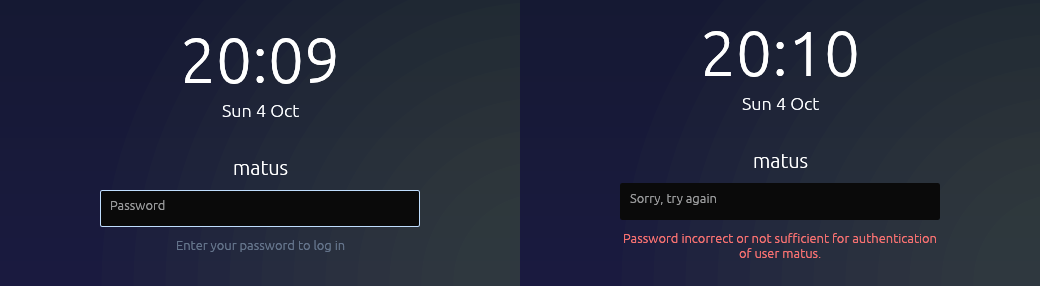
A person proves who they are to PAM, and only to PAM. derisk's login screen
relays whatever the PAM stack asks. Its lock screen asks the same stack
through a derisk auth process. Settings, Sign-in sets up what a person
brings: a security key, fingerprints, verification codes, or a new password.
nixos/modules/sign-in.nix writes the stacks.
How accounts are stored limits what each method can do. A person is a
systemd-homed record whose home area is a LUKS volume on the home
partition of the disk layout. So only something that yields the
volume's key can log them in.
| Method | Login screen | Lock screen | polkit, pm system |
|---|---|---|---|
| Password | yes | yes | yes |
| Security key (FIDO2) | yes, instead of the password | yes | yes |
| Slovak eID card | yes, instead of the password | yes | yes |
| Fingerprint | no | yes, beside the field | yes |
| Verification code | after the password, when turned on | no | no |
Security keys
A FIDO2 key, the kind a passkey lives on, is enrolled into the homed record
with homectl update --fido2-device=auto. Settings runs that with the
person's password and the key's PIN in its environment. homed then wraps the
home area's key with the security key's hmac-secret, so the security key
alone opens the home. pam_systemd_home asks for the PIN, "Security token
PIN", and a touch, and derisk shows both prompts. Setting up a key replaces
the one set up before, and the password keeps working. Passkeys held by a
phone or a laptop's TPM cannot do this, because homed has no way to get a key
out of them, so they are not offered.
The Slovak eID card
The eID card signs in the same way, with homed's PKCS#11 support instead
of FIDO2: homed encrypts a secret to the card's encryption certificate,
and the card decrypts it after its PIN. The Ministry's closed module that
reads the card runs in a machine of its own. losos-eid-signin sets it
up. Signing in with the eID has the
details.
Fingerprints
fprintd reads the reader. NixOS would put pam_fprintd first in every PAM
service, which would let a finger "log in" without opening the home area.
So login, derisk-login, derisk-setup, derisk-greeter and the lock
screen's field, derisk, turn it off. The lock screen listens to the reader
through its own service, derisk-fingerprint, with pam_fprintd alone, in a
second conversation beside the field. The person can touch the reader or
type, and whichever PAM accepts first unlocks. derisk offers the reader only
when that service file exists. polkit keeps NixOS's default, so a finger
answers an administrator prompt. Fingerprints are enrolled from Settings with
fprintd-enroll. fprintd allows that only after the person authenticates
again, and derisk's polkit agent asks, so no polkit rule lets it through.
polkit and pm
derisk session is polkit's authentication agent for its logind session.
Some actions need someone to authenticate before polkit allows them, such as
pm system, installing an app for every user, or enrolling a fingerprint.
For those, the desktop dims under a dialog that says what is being asked and
who may answer. That is the person at the desktop when polkit accepts them,
and otherwise a choice of administrators. The dialog relays what PAM's
polkit-1 stack asks through polkit-agent-helper-1, which NixOS runs from
/run/polkit/agent-helper.socket. So it asks in that stack's order. The
fingerprint reader comes first when the person enrolled a finger, until it
gives up, and then the password or the security key's PIN. Every key press
goes to the dialog while it is open. Input from agents can cancel it but not
authenticate. pm system in a terminal uses the dialog too. It falls back to
asking on the terminal through pkttyagent only when the session has no
agent, as pm on LosOS describes.
Verification codes
A person turns codes on in Settings by scanning a QR code into an
authenticator app and typing the first code back. Settings checks that code
before saving anything. The secret and five one-time recovery codes go in
~/.google_authenticator, read-only to its owner, in the format
pam_google_authenticator reads. derisk-login runs the module with nullok,
so only people who have the file are asked, after the password or security
key. NixOS runs pam_systemd_home once early in that stack, so the home area
holding the file is open when the module reads it. pam_unix is left out of
that service, because it would ask a homed user for their password a second
time.
Dimming and the privacy display
The login screen, the lock screen and the polkit dialog turn the backlight
down from the first character of a password. It comes back once the field
has stayed empty for a moment or the prompt is gone. They use logind's
SetBrightness on their own session, so only a display with a backlight
dims, one listed in /sys/class/backlight as on laptops and phones. A
desktop's monitor stays as it is.
The privacy display is a software version of Samsung's feature of the same name. It is off until a person turns it on in Settings, Privacy. Samsung's version narrows the panel's viewing angle, and a PC's panel cannot do that. So the same conditions start the camera instead: a password being typed, chosen apps open, or notification pop-ups. While a second face is looking, the protected part of the screen is covered. That is the whole screen for a password or a chosen app, and only the pop-ups for a notification. The cover is opaque, says why it is there, and has a "Show anyway" button that holds until the condition ends.
derisk-faces counts the faces. nixos/pkgs/derisk.nix builds it beside
derisk. It takes a few small frames a second from the first V4L2 camera and
runs them through
libfacedetection's CNN, which
derisk vendors and binds with bindgen. derisk runs it only while a condition
holds, so the camera light is on only then, and frames never leave that
process's memory. With no camera it prints camera none and nothing is
covered, which the boot VM test checks.
Password age
A password lasts 365 days, with warnings during the last 14, as
/etc/derisk/sign-in.conf from sign-in.nix says. derisk writes these
limits into homed records as passwordChangeMaxUSec and
passwordChangeWarnUSec. First-boot setup creates the first account with
them, and the display manager updates any record that says otherwise when
its owner logs in, so changing the option reaches every account. Only an
administrator may change those fields, so a person cannot opt out by editing
their own record.
Once the warning period starts, pam_systemd_home warns at each login with
"Password will expire soon". After the password expires, the login screen
asks for a new one in the same conversation, through pam_chauthtok, before
the session starts. The lock screen still unlocks a running session with an
expired password and shows a reminder, so nobody is locked out of their own
session over a date. Settings shows when the password expires and changes it
with homectl passwd.