When something goes wrong
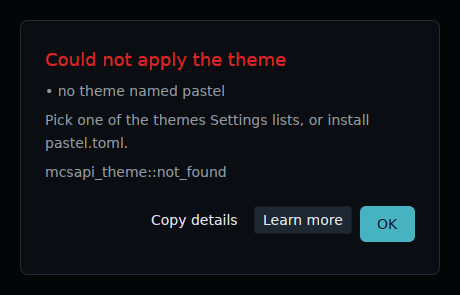
derisk's apps, the installer and first-boot setup show a failure in an alert dialog. Its title says what failed, in red. Under it are the causes, what to do about it when the app knows, and the error's code. A warning, for something that went only partly wrong, uses the accent colour instead. "Copy details" copies the whole report as plain text, for a bug report. "Learn more" opens the section of this page that the error names. "OK" or Escape closes the dialog.
Those sections open from the copy of this documentation that the image
carries in /run/current-system/sw/share/doc/losos, set up by
nixos/modules/docs.nix, so they work without a network. When the copy has
no such page, they open from the published site. The installer and
first-boot setup run before there is a session or a browser, so their
dialogs print the section's address on the published site instead, to read
on another device. The dialogs are mcsapi's ErrorDialog drawing an
mcsapi_ui::Error, which is a miette report that knows its section. The
theme colours them like every other component.
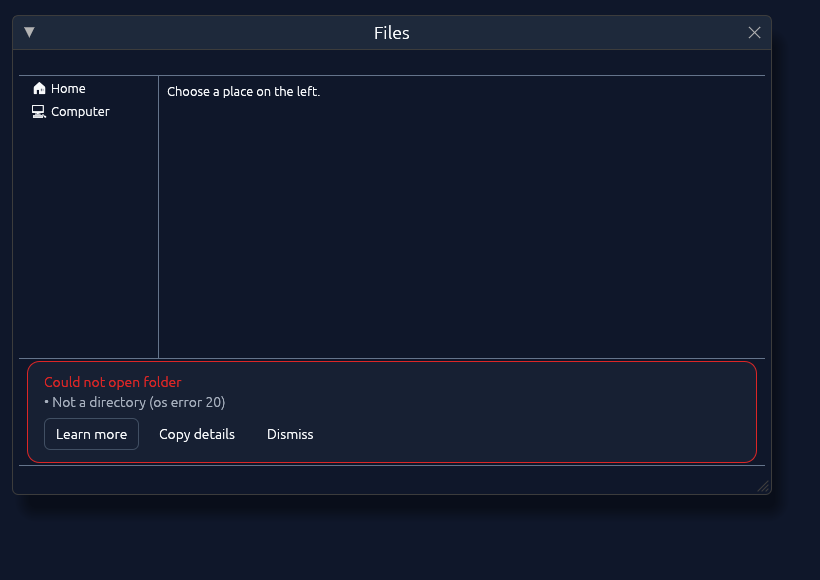
Files could not open or change something
Files reports what the filesystem refused: a folder that is gone, a name
that is taken, a file you are not allowed to read or change. The cause under
the message is the system's own reason, such as "Permission denied" or "Not
a directory". Files on a disk you did not mount yourself, and anything
outside your home directory, usually belong to root. Files opens a file by
handing it to xdg-open. If a file could not be opened at all, xdg-open
itself did not start. If a file opens in the wrong application, or in none,
that is xdg-open's choice.
The editor could not open or save a file
The Text Editor saves to the path in its location field, which can differ from the file it opened. That is how it saves a copy. With an empty field it has nowhere to save to. A file it could not open is usually one you are not allowed to read, or not text. A path that does not exist yet opens as a new file instead, and is created on the first save.
Settings could not be read or saved
Settings keeps everything in $XDG_CONFIG_HOME/derisk/settings.conf, or
~/.config/derisk/settings.conf without the variable, and writes it whole
each time you press Save, through a temporary file beside it. "No config
directory" means neither variable is set, so the changes last only until
Settings closes. A file it could not read or write means the filesystem
refused, as in Files above. A home directory that is full or read-only
causes the same error.
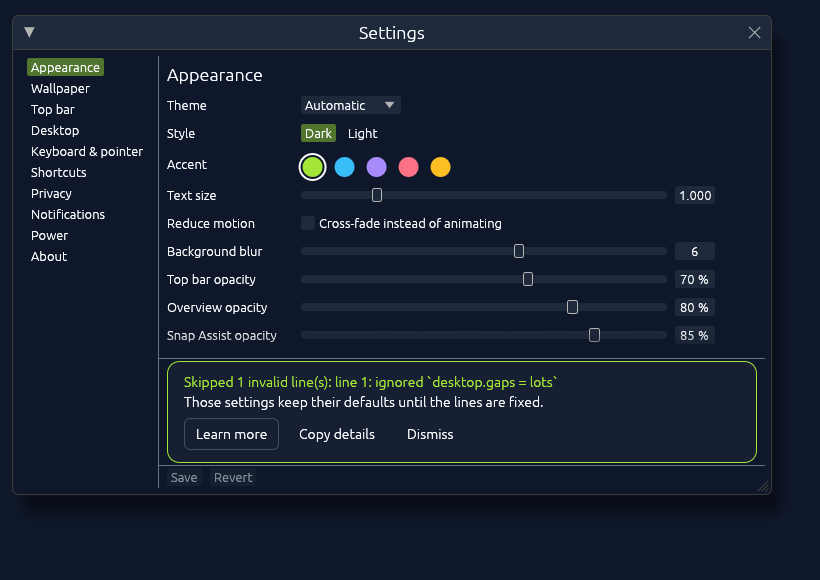
Settings skipped some lines
A line Settings did not understand, such as desktop.gaps = lots, is left
out, and that setting keeps its default. The warning names the first such
line.
The next Save writes the file again from what Settings shows, without the skipped lines.
The default browser did not change
Settings writes the browser you pick under Default apps to
$XDG_CONFIG_HOME/mimeapps.list, usually ~/.config/mimeapps.list, for web
links and HTML files. Every desktop reads that file. Settings saved its own
file but could not write that one, so links still open in the old browser.
The cause says why, and again it comes from the filesystem.
The choice screens explains where the list of browsers
comes from.
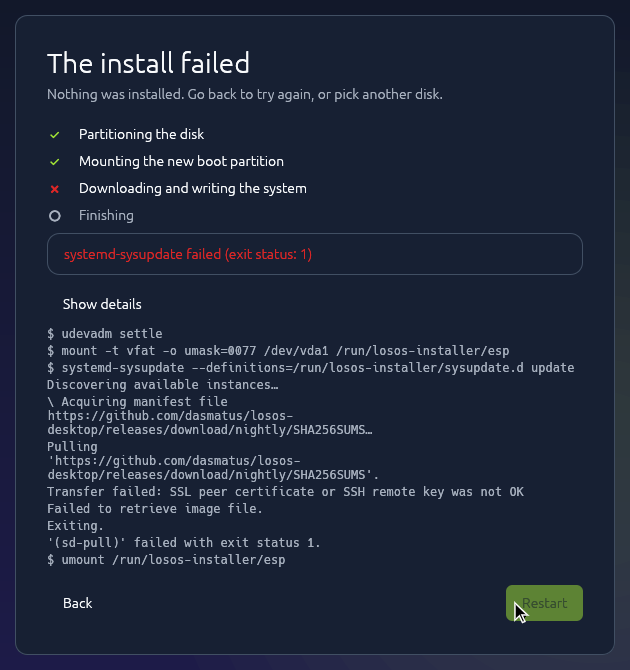
The installer stopped
The message comes from the installer's backend, from the step that failed, and "Show details" shows its log. If it refused a disk, that disk was not in its list or is the medium the installer booted from. If a download does not verify because the network re-signs TLS, install from a release disk instead. The installer describes each step.
Nothing is written before "Erase and install"; after it, a failed install leaves the disk without a working system, and the install can be run again from the start. tty2 has a root shell for looking around first.
If the install refuses to erase a disk that used LVM or LUKS, the details usually say the partition table could not be reread. The backend now deactivates volume groups on that disk and closes LUKS on its partitions before it wipes the disk. LosOS does not install into an existing LVM-on-LUKS layout (layout); it replaces the whole disk with its own GPT partitions. Optional TPM-locked LUKS on the root partition is another scheme.
Setup could not finish
First-boot setup applies its pages one by one with localectl, timedatectl
and homectl, and the message comes from that tool. The step that fails is
usually the account. homed refuses a user name that is taken or not valid, and
a password its quality check rejects. Back returns to the account page.
Setup runs again on every boot until an account exists.
No one can administer the machine
A running system is administered only through
pm system, which manages units and
updates and nothing else. It needs an administrator who can sign in, pm's
system service and polkit. When something needs more than that, or one of
those is missing, the way in is a root shell for one boot. Someone at the
machine chooses it at GRUB's menu, and nothing in a running system can give
one:
- When the boot menu shows, press
cfor GRUB's prompt. - Type
set losos_extra=systemd.debug_shell, Enter, thenexport losos_extra, Enter. - Press Escape to go back to the menu, and Enter to start the newest version.
- Once the login screen shows, press Ctrl+Alt+F9. tty9 is a root shell, with no password.
From there, homectl create <name> --member-of=wheel makes a new
administrator, for example, and journalctl -u pm-system -b says why pm's
service did not start. The arguments last one boot, and the shell stays open
while the system runs, so run systemctl reboot when done. The shell is
systemd's debug shell. losos_extra holds kernel arguments that GRUB adds to
the command line the release was built with, as
Boot loader and boot screen describes. On UEFI,
setting it makes GRUB give the arguments the UKI's whole command line in
front of them, because a UKI takes arguments only as a replacement for its
whole command line. An x86_64 PC starts the kernel kept beside the UKI with
them, as on a BIOS. An aarch64 PC hands them to the UKI itself.
An aarch64 PC with Secure Boot on starts without the arguments, because its UKI then ignores any it is given. Turn Secure Boot off in the firmware's settings for that one boot.
With Secure Boot on, GRUB ignores losos_extra and says so, because the
kernel beside the UKI is not signed. Turn Secure Boot off in the
firmware's settings first. The enrolled key stays, so turning it back on
afterwards needs no new enrollment (Secure Boot).
The shell does not open anyone's home. Each home is its own encrypted image, which only its owner's password unlocks. The rest of the disk, the system and its state, is not encrypted. So the shell gives someone at the machine nothing that another operating system started from a USB stick would not.